Generate captions on your device
Start with on-device speech recognition and speaker analysis. Review the words, adjust speaker assignments, and keep creative decisions in your hands.
 Bokki Studio
FOR CREATORS · OUR FLAGSHIP
Bokki Studio is a video and subtitle editor for creators working with interviews, lessons, commentary, and other spoken content. Built around Korean spoken-video workflows, it brings caption generation, detailed correction, visual styling, and delivery into one editing process.
Planned Release in 2026In development for iPad and iPhone
FEATURE HIGHLIGHTS
Two features, in focus.
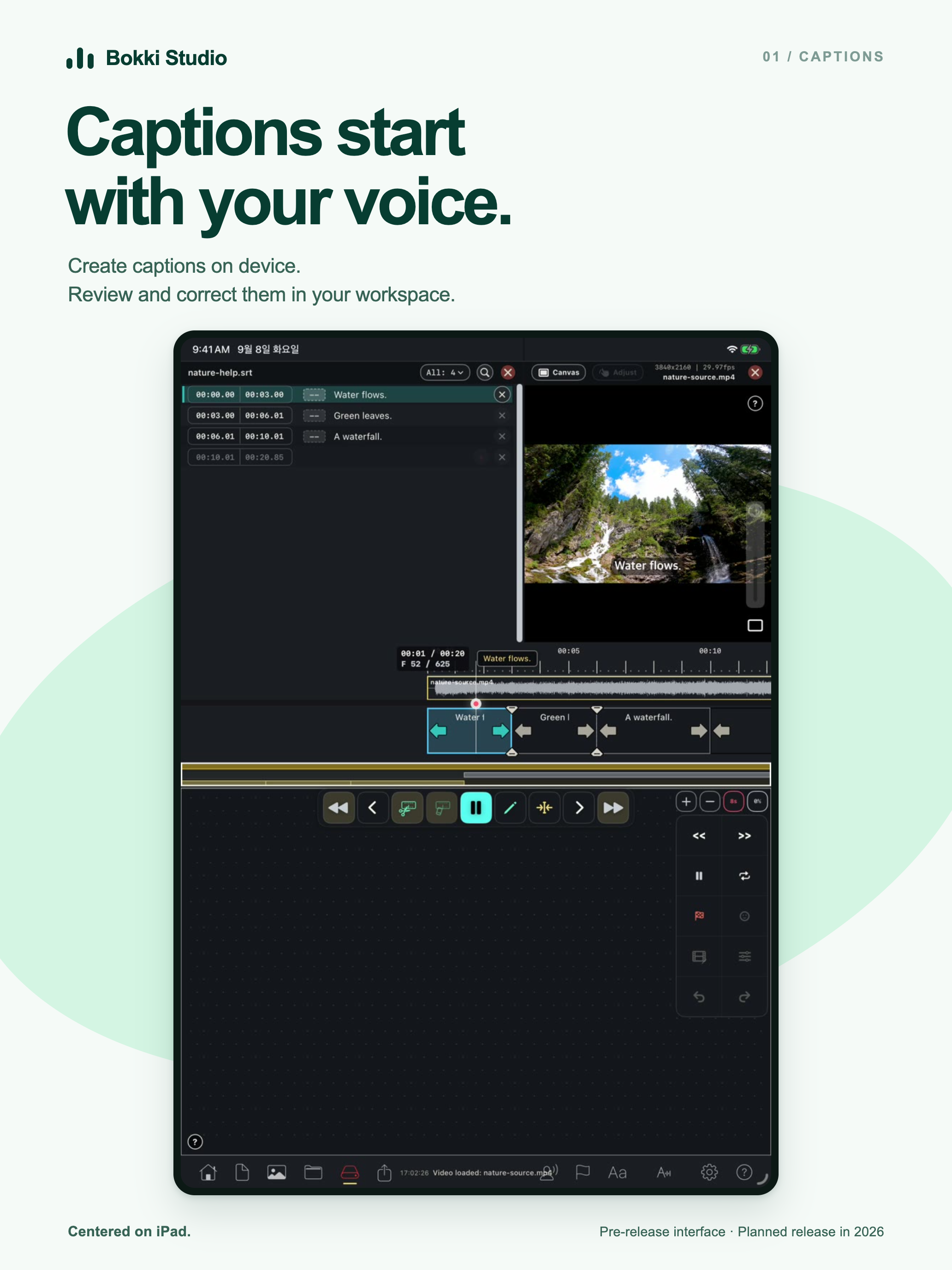
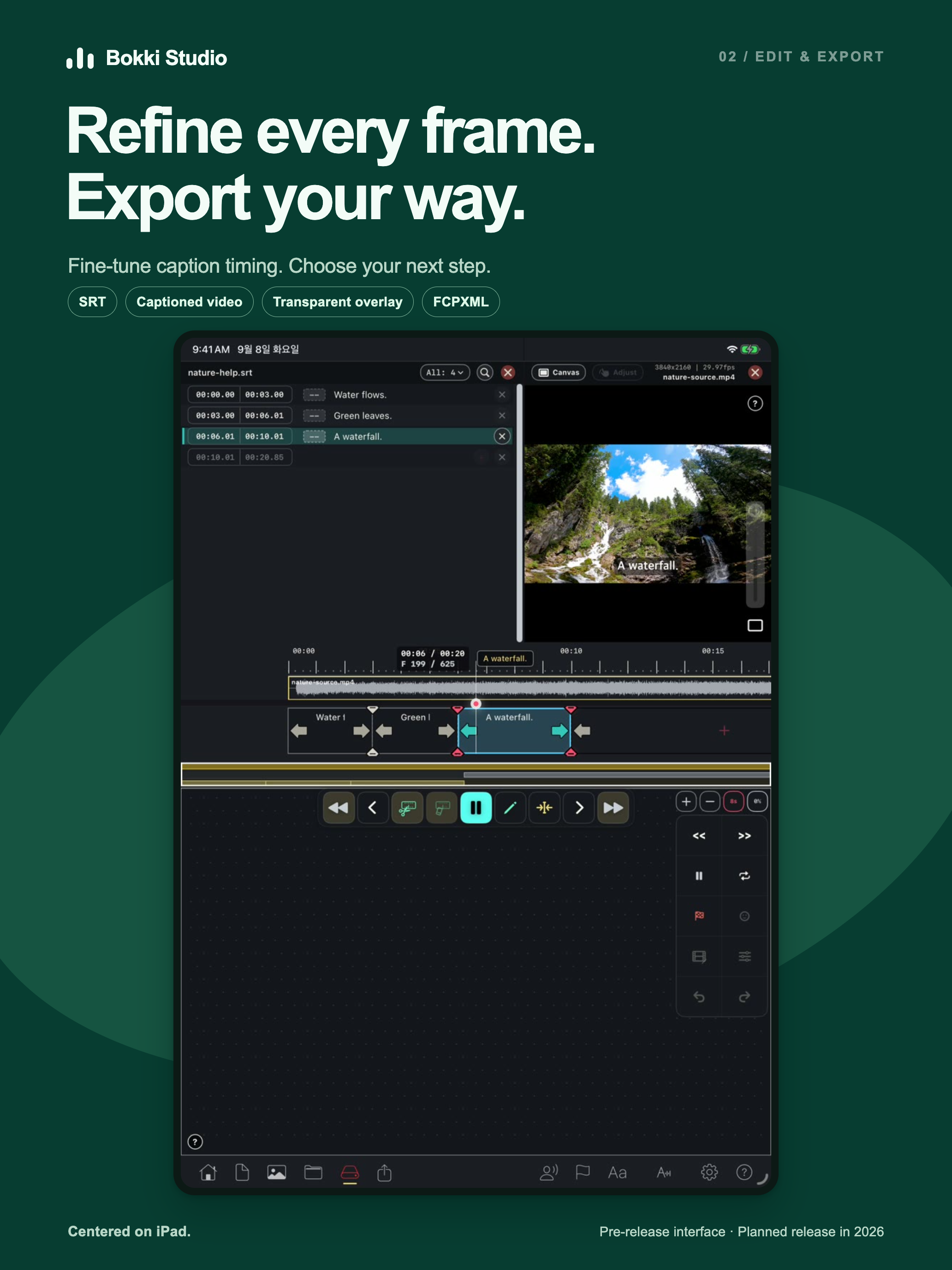
Marketing previews using actual earlier development-app UI. The public release is planned for 2026.
INSIDE THE WORKSPACE
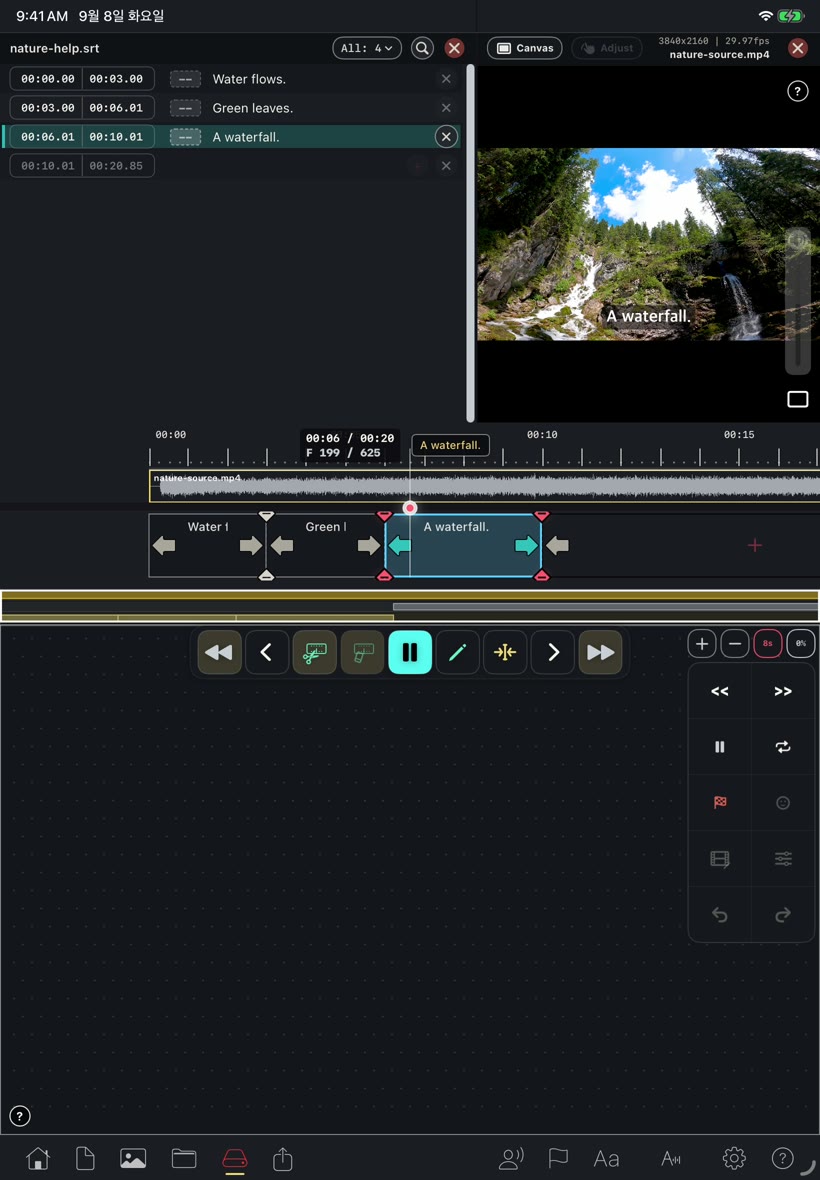
An actual iPad simulator demo from the development app. Pre-release interface.
MADE FOR YOUR WORKFLOW
Start with on-device speech recognition and speaker analysis. Review the words, adjust speaker assignments, and keep creative decisions in your hands.
Fine-tune captions against the video and audio waveform. Frame-based timing, touch controls, and trackpad input help you place each caption where it belongs.
Adjust typography, colors, outlines, shadows, backgrounds, and placement. Use speaker colors to distinguish voices and save your preferred subtitle style for future work.
Add multiple videos to a caption queue and apply a consistent set of recognition settings. Keep work organized in saved collections, then return to individual videos for further editing.
Export SRT subtitles, video with captions, transparent subtitle overlays, or FCPXML project files for a further editing workflow.
HOW IT WORKS
Open a video from Files or Photos.
Run Auto Caption, then correct text, speakers, and timing.
Refine the timeline and choose how your captions appear.
Keep an editable project and create the output you need.
Features shown are from the development app. The public release is planned for 2026; its final features and compatibility may change.
THE PRODUCT STORY
Milestones from confirmed project records and release events.
The earliest preserved desktop code brings speech analysis, speaker analysis, and subtitle editing together in AI Subtitle Studio.
The subtitle workflow moves into a native iPad editing workspace.
A June build focuses on iPad editing. Release configuration expands to iPhone and iPad in July.
Batch captioning expands to multiple videos, with internal iOS beta testing continuing in build 301.
BOKKI STUDIO
Public release planned for 2026. For product questions or collaboration, get in touch.
CONTACT BOKKIYAW