53 city looks
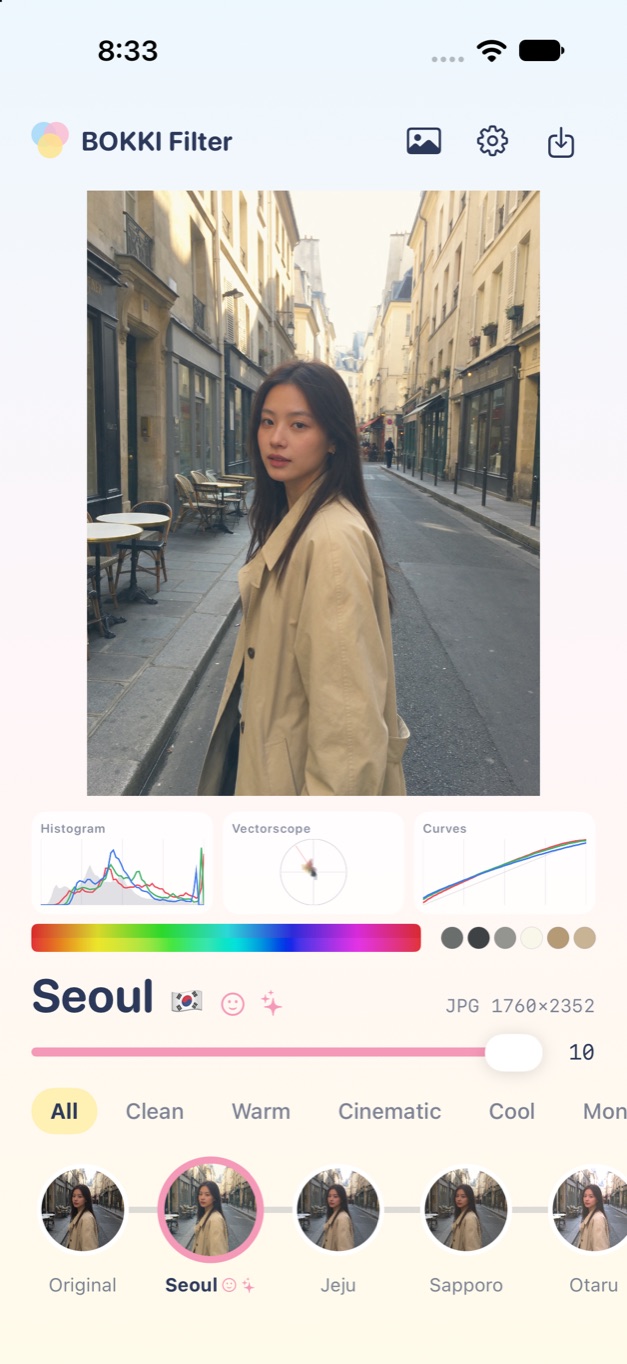
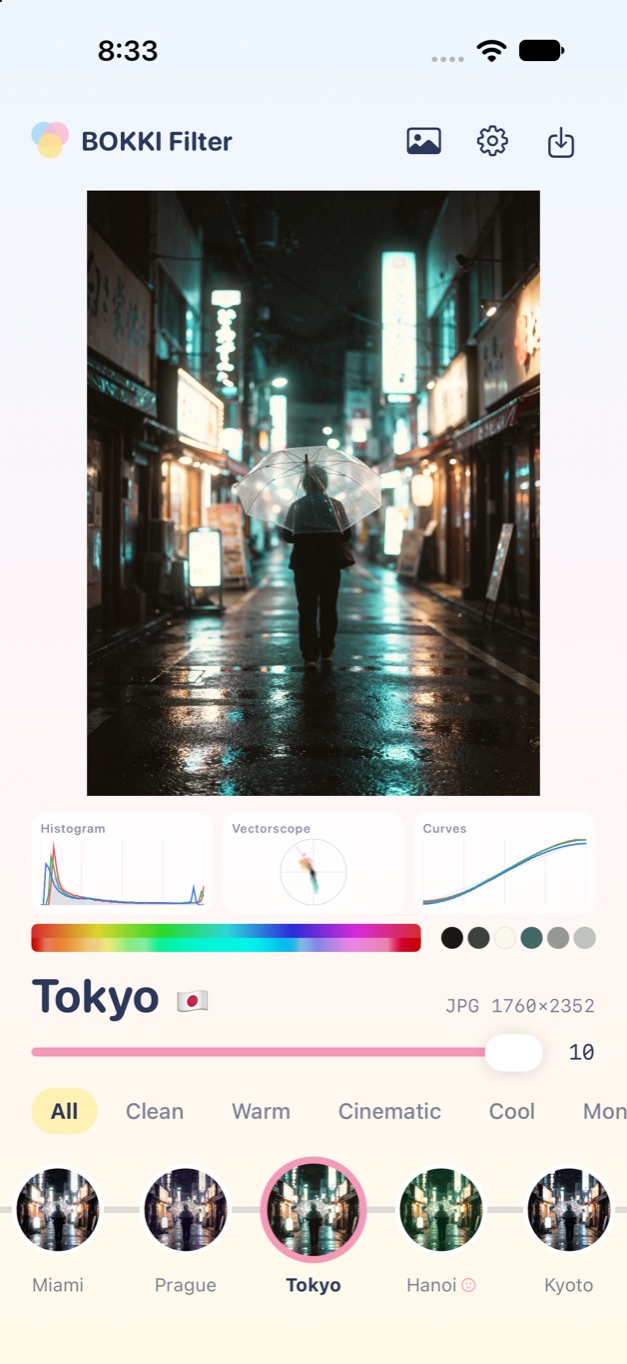
The same looks as BOKKI CAM, from Seoul and Jeju to Tokyo and Naples, grouped as Clean, Warm, Cinematic, Cool and more. Set the strength from 0 to 10, and drag the before and after line across a photo or a playing video to compare.
 BOKKI Filter
FOR PHOTOS AND VIDEOS · CITY LOOKS
Give your photos and videos the color of a city. BOKKI Filter brings the looks from BOKKI CAM to the pictures you already have, keeps the quality of the original, and can correct color first from a BOKKI Chart reference.
Coming to the App StoreFor iPhone and iPad · iOS / iPadOS 26 or later
Free to try for 7 days, then a one-time purchase · Available in English
THE APP
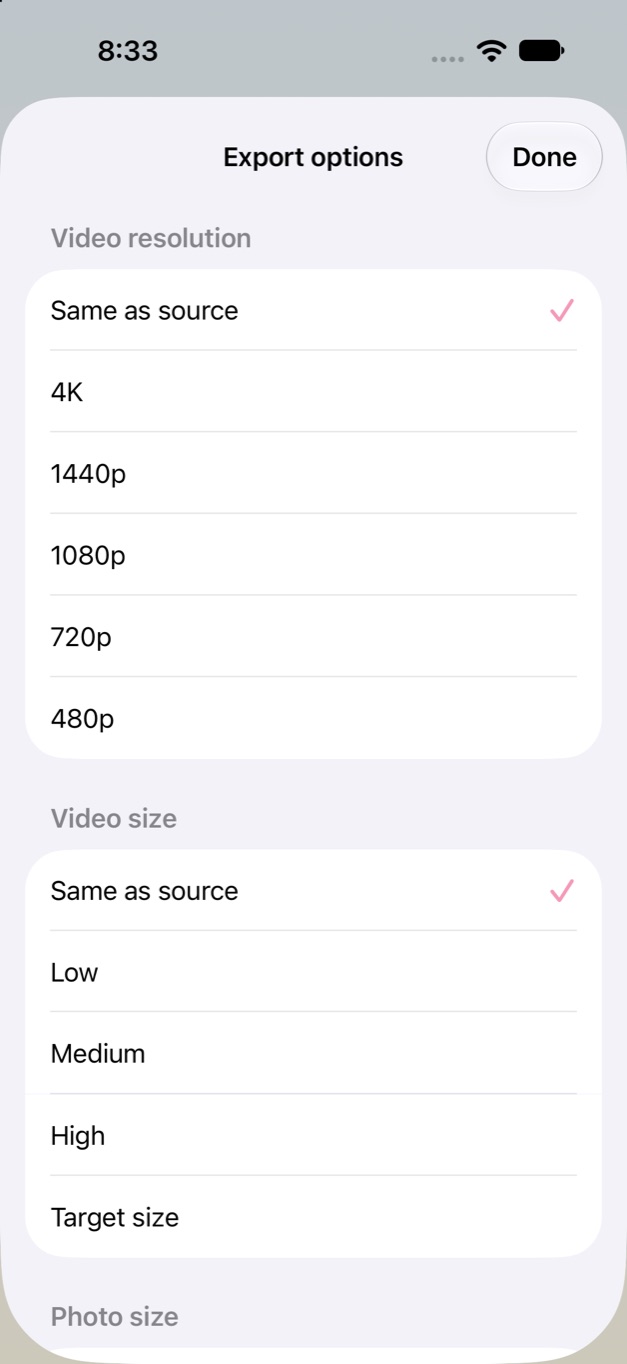
Actual screenshots from the app on iPhone, using the sample pictures that come with it.
MADE FOR YOUR PICTURES
The same looks as BOKKI CAM, from Seoul and Jeju to Tokyo and Naples, grouped as Clean, Warm, Cinematic, Cool and more. Set the strength from 0 to 10, and drag the before and after line across a photo or a playing video to compare.
Some looks protect skin tones on faces they find, and some add effects a LUT can't, so a portrait keeps its skin while the city changes around it.
Choose photos and videos, or a whole album or day, and apply one look to all of them. Match colors evens out exposure and white balance across the set first, and results from an album go into a new album beside it.
Shoot the BOKKI Chart screen once and use it as a reference, or open files from BOKKI CAM that carry their color data. Colors are corrected before the look goes on.
Video resolution from 4K to 480p, video size as Low, Medium, High or a target in MB, fit, fill or stretch, and photo size by long edge. A batch of videos can share one size target, and Original with a size option simply makes videos smaller.
Tune a look and keep it as your own, or import 3D LUTs in .cube format.
HOW IT WORKS
Pick photos and videos from Photos or Files, or a whole album or day.
Swipe through the cities and set the strength.
Use a BOKKI Chart reference shot or BOKKI CAM color data.
Save to Photos or Files, or share. Long videos keep going in the background, and Shortcuts has an Apply Look action.
BOKKI Filter works on its own. BOKKI CAM and BOKKI Chart are optional and only add color correction.
QUALITY
By default a saved file keeps the source's resolution, frame rate and bitrate. HEIC stays HEIC, JPEG stays JPEG, 10-bit and HDR photos stay 10-bit, and photo metadata comes along.
For video, only the picture is encoded again, with the device's hardware encoder. Audio and the other tracks are copied as they are. If nothing in the picture changes, the original file is saved untouched. Apple Log footage is recognised and converted before the look, and after each save the app shows what was done.
Color correction from a reference shot is calculated from the chart's 24 patches. A screen is not a printed card, so treat it as a close match for your setup rather than a laboratory measurement.