Cuts without re-encoding
Split at any frame and remove what you don’t want. Plain cuts are copied. A cut that starts between key frames re-encodes only that first moment, so deleted footage doesn’t stay hidden in the file.
 Bokki Editor
FOR CREATORS · VIDEO EDITING
Bokki Editor cuts and joins iPhone videos without re-encoding what it does not have to. Each result is checked before it is saved as a new video, and your originals are never changed.
Coming to the App StorePaid once · no in-app purchases, no subscription
Designed for iPhone · iOS 18 or later
THE APP
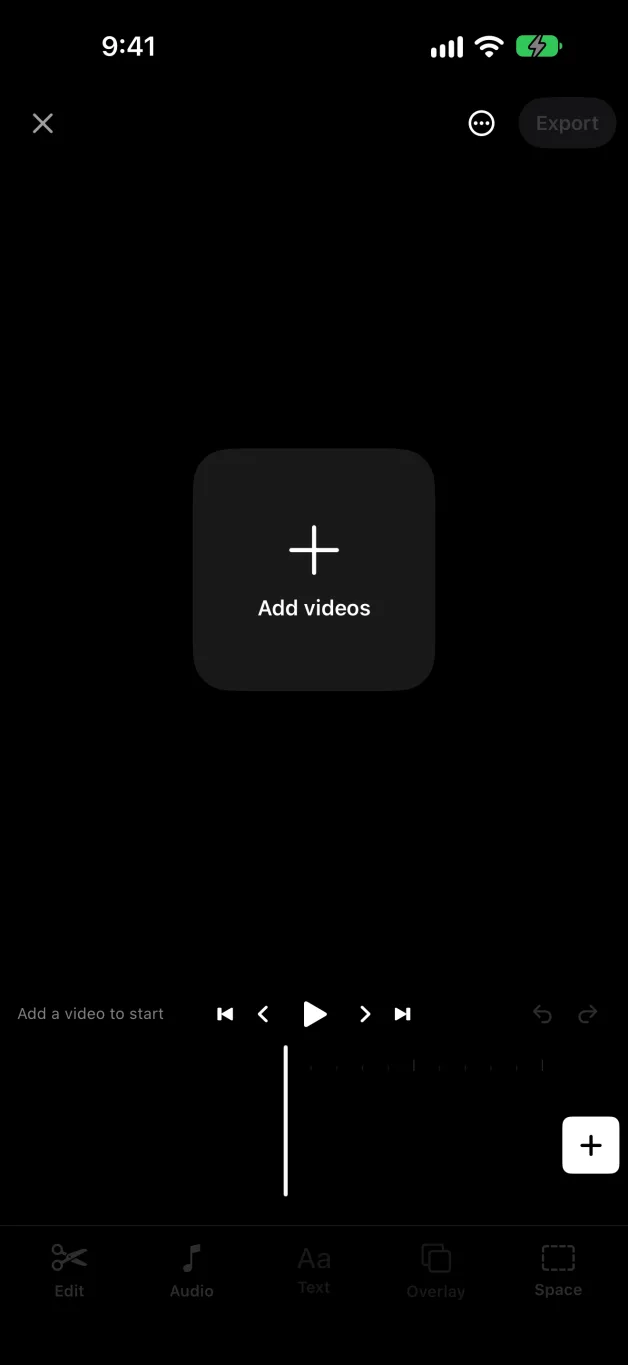
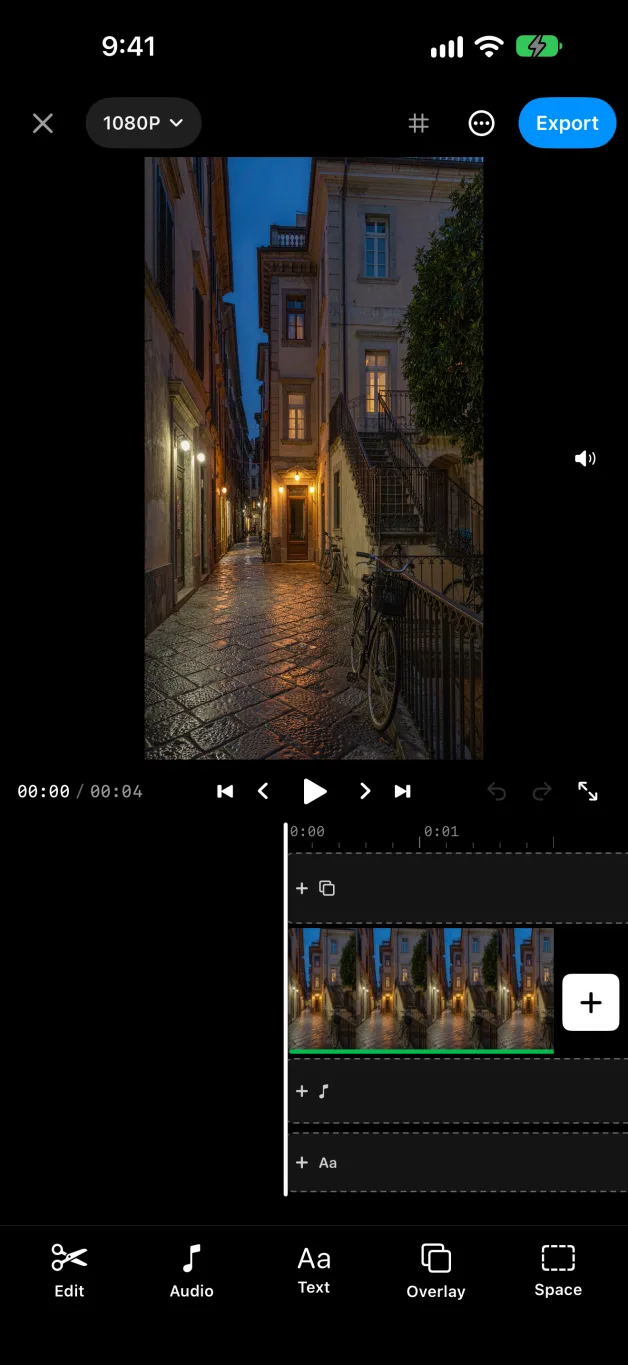
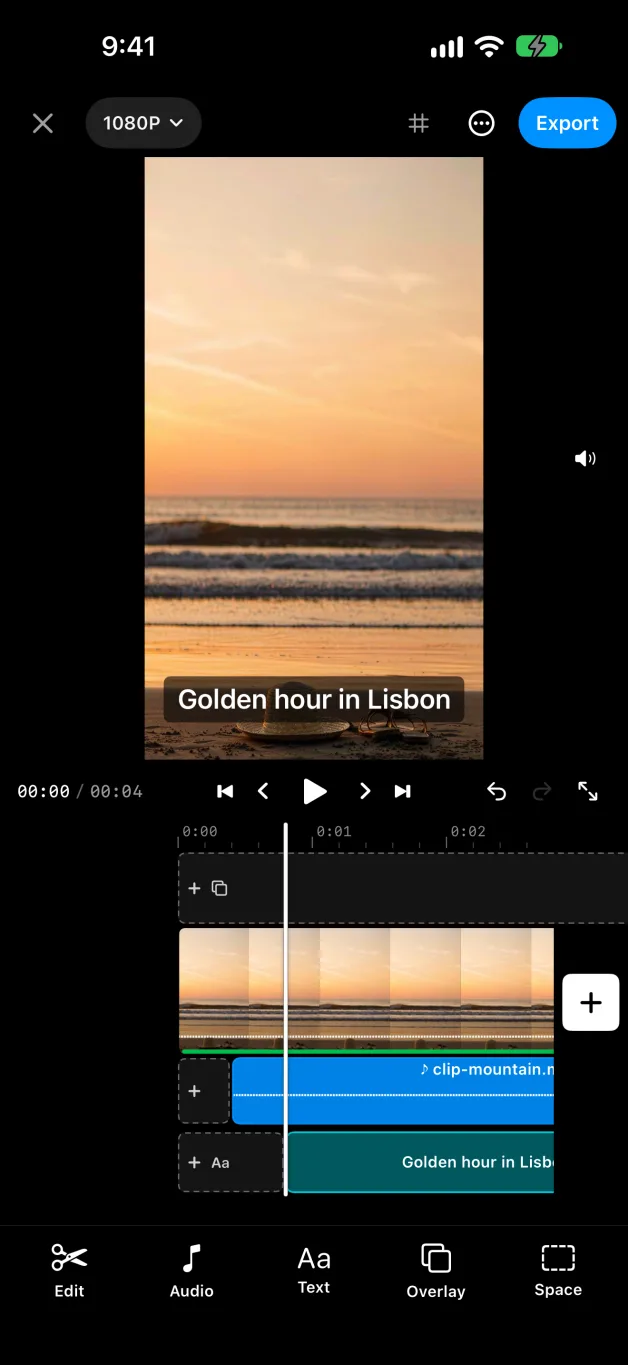
Actual screenshots from the app, using sample footage.
MADE FOR YOUR WORKFLOW
Split at any frame and remove what you don’t want. Plain cuts are copied. A cut that starts between key frames re-encodes only that first moment, so deleted footage doesn’t stay hidden in the file.
Copied parts are compared with the original, frames and sound. Re-encoded parts must reach a measured picture-quality floor. If a check fails, the app tells you why and lets you decide what to do.
Videos with different sizes, frame rates or formats join without questions. What can be copied is copied, and the rest is re-encoded to match.
Up to three overlay lanes for videos and pictures, two sound lanes and a subtitle lane. Subtitles can be burned in or saved as an .srt file.
A steady speed from 0.25× to 16×, or a speed curve from presets such as Montage and Hero that you can reshape point by point. Volume, mute and fades for each cut. Transitions: dissolve, fade through black or white, push, zoom and wipe, with one length for all if you like.
Crop, turn and mirror a clip right on the preview, or turn and zoom it with two fingers. Keep the source format, or export at 9:16, 1:1 or 16:9, in 1080p, 720p or a smaller size. Videos from Files, including AVI, WMV and MKV, are converted on your device.
HOW IT WORKS
The app opens in an empty editor. Tap Add videos or the + and choose one or more from your library. Several at once are joined in the order you tap them.
Drag the film so the playhead sits where you want to cut, select a cut, then use Split and Delete. Drag a cut’s edge to trim it. Undo and Redo are always there.
With a cut selected, the clip panel sets its speed, volume and fades while the preview stays in view. Media, Music, Text and Overlay add more videos, pictures, music, subtitles and picture-in-picture. Subtitles can be timed to the tenth of a second and split where you type.
Tap Export, choose the frame shape and size, and export. The result is checked, then saved as a new video. Your original is never changed.
No account, no ads, no tracking. Editing happens on your iPhone and Bokkiyaw runs no server that receives your videos. Optional iCloud Drive copies go to your own account; see the privacy policy. Bokki Editor reads unusual formats through FFmpeg under the LGPL: source and relinking offer.
THE PRODUCT STORY
Milestones from confirmed project records and release events.
The cut engine, its verifier and the first iPhone editor enter the project history.
The editor starts running on real devices through TestFlight.
Overlay, sound and subtitle lanes are designed and built on the same engine.
The build is uploaded to App Store Connect and attached to version 1.0, which is being prepared for submission.
The trial and the in-app purchase are removed. Bokki Editor becomes a paid app with every feature included.
Speed curves, more transitions, crop and turn on the preview, subtitle timing and recent projects on the first screen go into testing.
BOKKI EDITOR
Being prepared for the App Store. For product and support questions, get in touch.
CONTACT BOKKIYAW